Documentation platform
LiveGitDoc: hosted docs from GitHub that AI agents can read
Markdown in your GitHub repo. Hosted docs for readers. The same pages, writable by agents over MCP.
What it is
GitDoc for buyers looking at documentation platform.
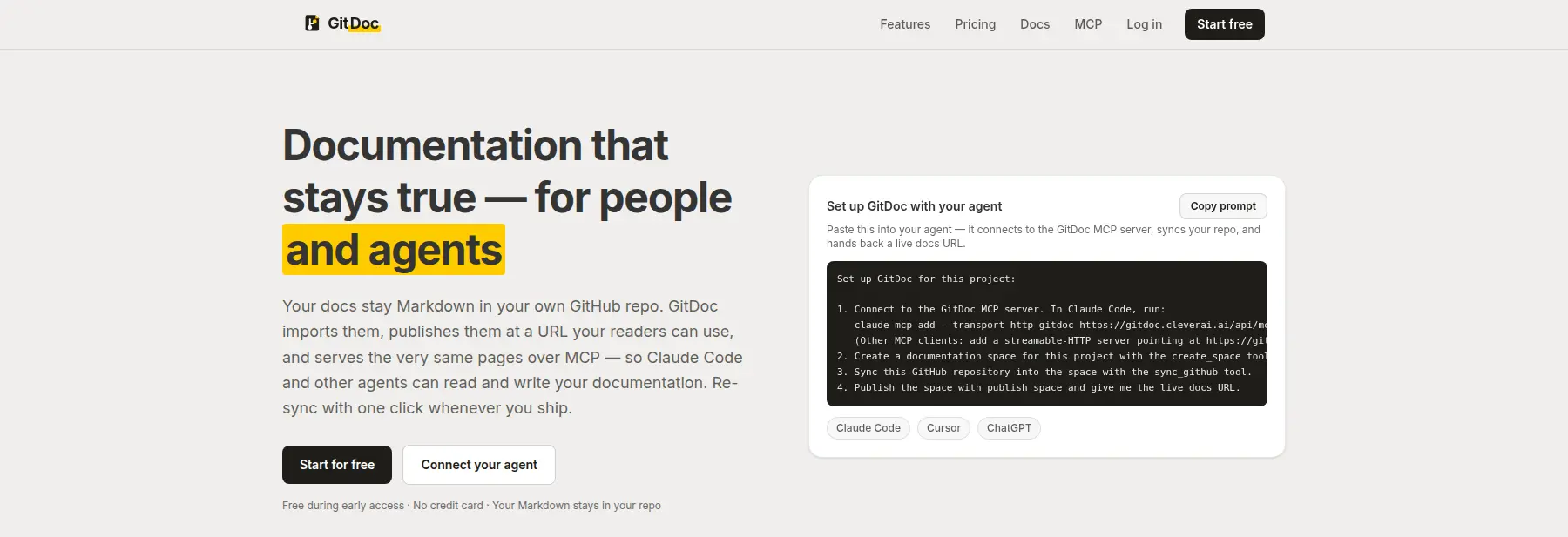
Documentation that lives only in a GitHub repo is hard for non-engineers to read. Documentation that lives only in a hosted editor is hard for agents — and for the people who already write Markdown in pull requests — to keep honest. GitDoc sits in between: you import the Markdown from a repository you can access, publish it as hosted documentation, and re-sync when you ship.
Private repositories work because GitDoc reads GitHub as you, using your connected account rather than a shared server token. A documentation stays private until you widen the audience. You can invite collaborators, publish at your own URL, and connect Claude Code or other MCP clients to the same pages your readers see.
GitDoc is live at gitdoc.cleverai.ai. The product is a documentation platform with a built-in MCP server, not a writing assistant: there is no in-app AI overlay on the docs themselves. Agents write Markdown; GitDoc hosts it.
Capabilities
What GitDoc is built to do.
Import Markdown from GitHub
Connect a repository you can access and turn its Markdown into hosted pages. Public repos work with no extra ceremony; private ones use your own GitHub connection.
Re-sync when you ship
Documentation is not a one-time import. Re-sync from the dashboard or from an agent when the repo moves, so the hosted site tracks the Markdown you already maintain.
A built-in MCP server
Claude Code, Cursor, and other MCP clients can read and write the same pages your audience reads. You mint a personal token; work the agent does is scoped to your account.
Hosted docs, not a raw file tree
Readers get a documentation site with a page tree and GitHub-flavoured Markdown, not a blob viewer. Publish at a GitDoc URL or point your own hostname at a documentation.
Private until you open it
A documentation starts private to you and the people you invite. Widen it when you are ready for a broader audience. Unlisted and public options exist for the cases in between.
Your Markdown stays in your repo
GitDoc hosts a view of files you already own. There is no proprietary document format to migrate off later — it is Markdown in, Markdown out.
Who it is for
Three situations GitDoc is meant to change.
01 · Founder documenting a product from the repo
The problem
The README and /docs folder are already the source of truth, but customers should not be sent to GitHub to read them. A separate docs CMS means a second copy that drifts.
How GitDoc helps
Import the repo into GitDoc, publish a hosted site, and re-sync when the Markdown changes. The repo remains the working copy; the hosted site is how people read it.
02 · Engineer using Claude Code on internal docs
The problem
Agents can edit Markdown in a repository, but they cannot see how those pages render for the rest of the company, and they cannot publish from the same workflow.
How GitDoc helps
Connect GitDoc’s MCP server. The agent reads, writes, and publishes the same hosted pages humans open in the browser, under a token scoped to your account.
03 · Team sharing docs with people who are not on GitHub
The problem
Some readers should never need a GitHub account. Emailing Markdown files or granting repo access just to read a guide is the wrong permission model.
How GitDoc helps
Publish the documentation and invite collaborators — or share a link with the visibility you choose — without handing out repository access.
GitHub Pages serves static files from a repository. GitDoc imports that Markdown into a hosted documentation product: visibility controls, collaborator invites, your own URL, and a built-in MCP server so agents can read and write the same pages. Re-sync when the repo changes; you are not maintaining a separate static-site pipeline to get a readable docs site.
Related products
Other tools in the same portfolio.
Managed AI website chatbot
Coming soonBotsmith
An AI chatbot for your website that we set up, train on your pages and documents, and run for you, with lead capture and a handoff to your team.
Botsmith: a managed AI chatbot for your website →Multi-model AI workspace
LiveConverso
Every leading model in one conversation — without tab-switching or lost context.
Converso: one chat workspace for GPT, Claude and Gemini →
Related
Services and reading related to GitDoc.
- ServiceAI agent development with guardrails and human sign-off
Agents that act in your tools, with scoped permissions, approval steps and a test set behind every change.
- ServiceRAG development on your private company data
Answers from your own documents, with citations, permission checks and a test set built from real questions.
- ArticleThe best documentation tools for AI agents
- ArticleThe best docs-as-code tools in 2026
- PageAI development services, from first use case to shipped product
Consulting, agents, RAG, integrations and chatbots, in one place.
Use it today